TikTok to MP3 Converter — Free, No Login Required
- Free forever, no hidden fees
- No login, no registration
- No app install — works in any browser
- Works on iPhone, Android, and desktop
- Unlimited conversions
- High-quality audio output
How to Download TikTok to MP3
-
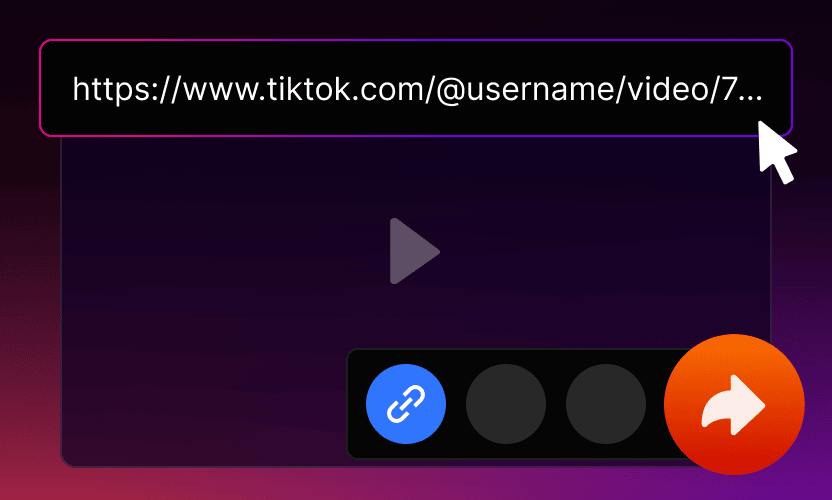
Copy the TikTok Video URL
Tap “Share” on the TikTok video and choose “Copy link” to get started.
-
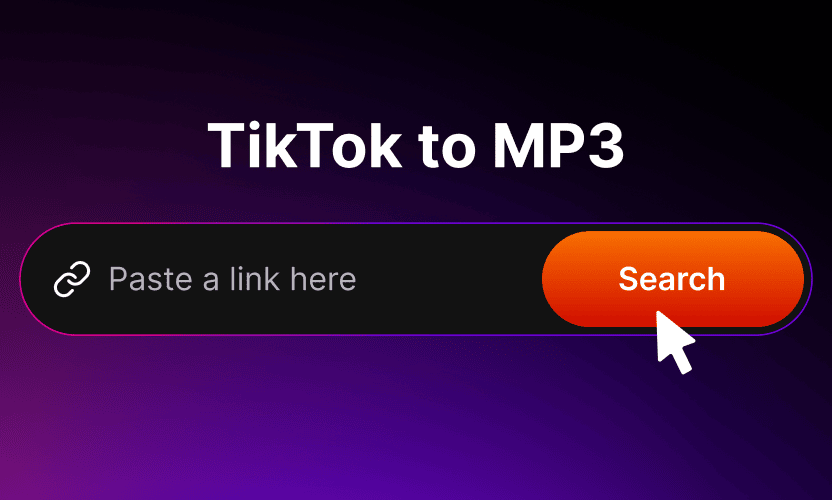
Paste the Link into the Converter
Open Mp3tik and paste the copied link into the input field.
-
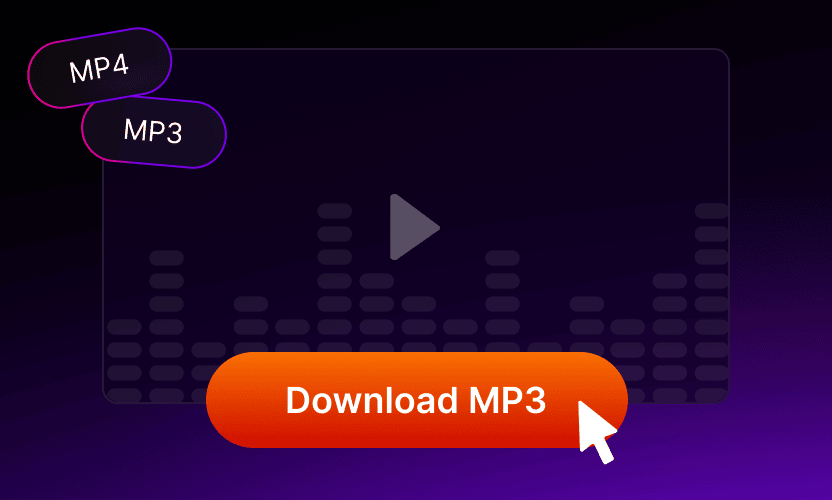
Download the MP3 File
Select MP3 format, click “Download”, and your audio will be saved instantly.


How to Convert TikTok to MP3 on iPhone
- Open TikTok, tap “Share” on the video, then select “Copy Link”.
- Open Safari and go to mp3tik.to. Paste the link into the converter field.
- Tap “Download” and save the MP3 file to your Files app.
How to Convert TikTok to MP3 on Android
- In TikTok, tap “Share” on the video and select “Copy link”.
- Open any browser, go to mp3tik.to, and paste the link.
- Tap “Download” — the MP3 file will be saved to your Downloads folder.
How to Convert TikTok to MP3 on Desktop
- Open TikTok in your browser and copy the video URL from the address bar.
- Go to mp3tik.to and paste the URL into the converter field.
- Click “Download” to save the MP3 file instantly.
-
Benefits of Converting TikTok to MP3
Saving TikTok audio as MP3 turns ephemeral content into something you own — listenable during workouts, on the commute, on a plane, or anywhere offline. MP3 is a universal audio format supported by every music player, smart speaker, podcast app, and audio editor (Audacity, GarageBand, Reaper, Ableton), so an MP3 from Mp3tik fits any workflow.
Content creators use Mp3tik to grab trending TikTok sounds for video editing in Premiere, CapCut, or DaVinci Resolve. Language learners pull native-speaker audio for repeat-listening. Music lovers build offline playlists of unreleased remixes that only live on TikTok. Researchers archive niche sounds before they disappear. The conversion takes a few seconds per video — paste, click, save.

Why Choose Our TikTok MP3 Converter?
Download high-quality TikTok audio instantly for personal or creative use.
Fully secure and browser-based.
-

Unlimited Downloads
No daily caps, no monthly quotas, no captcha after the tenth conversion. Use Mp3tik a hundred times a day without throttling or login walls.
-

Conversion in Seconds
Typical conversion completes in under 5 seconds on 4G or Wi-Fi. No queue, no waiting room — paste the link and the download starts immediately.
-

Privacy-Friendly
No sign-up, no email, no cookies tying conversions to your identity. Mp3tik does not log TikTok URLs you paste, and downloaded files never touch our servers.
-

Three Taps to Audio
Copy TikTok link, paste at mp3tik.to, tap Download. Works on iPhone, Android, Windows, Mac, Linux — anywhere with a modern browser.
About Mp3tik
Mp3tik (mp3tik.to) is a free browser-based tool for extracting MP3 audio from TikTok videos. Paste any public TikTok URL, choose MP3, and the audio file downloads directly to your device — no login, no app installation, no tracking.
Built and maintained by a small team of developers focused on browser-based media utilities. We believe public content should remain accessible without sacrificing user privacy, so Mp3tik runs entirely client-side: no accounts, no logged sessions, no data collection.
All audio files are saved as standard MP3 with no watermarks. Whether you're studying, creating content, building a workout playlist, or archiving a favorite sound, Mp3tik makes it quick and effortless. If you have any questions or feedback, contact us at [email protected].
What Users Say About Mp3tik
-

emj_clover
February 2026
Really convenient — saved a TikTok sound in just a few seconds. I use it all the time for my playlists.
-

a2
February 2026
I love how straightforward everything is. I often need original TikTok sounds for work, and this tool does exactly that — fast downloads, great quality, and zero hassle. No ads, no pop-ups, no sign-ups. I've been using it for weeks without a single issue.
-

Sofia
January 2026
Didn't expect audio extraction to be this simple 🤩 Fast, free, and super smooth. Now I can listen to my favorite TikTok sounds offline anytime!
-

Dan
January 2026
I honestly expected ads or restrictions, but everything worked perfectly. Clean files, no glitches, no hidden limits.
-

Raj P
December 2025
One-click audio downloads, no complications. I download songs for my kids to listen to in the car — quick and easy every time.
-

Hanna
December 2025
I save sounds for dance practice. I'm not very tech-savvy, but it worked perfectly on the first try.
-

Marcus Rossi
November 2025
Great for workout audio. Sound quality is excellent and downloads are fast on my phone.
-

ellie_alvrs
November 2025
I use it for yoga and meditation sounds. Downloads are quick and the quality stays surprisingly good. The interface is simple and stress-free.
-

Liam O'Connor
October 2025
Fast downloads, no problems with the site.
-

Christopher
October 2025
I grab TikTok sounds for music experiments and podcasts. Audio quality is solid — no artifacts, no weird compression.
-

Megan Carter
September 2025
My teenager shows me TikTok videos with great songs, and this lets me save them easily to listen later in the car.


Frequently Asked Questions
-
Is it legal to use a TikTok MP3 downloader?
Downloading TikTok audio for personal use is generally permitted under most fair use frameworks. However, copyright law and TikTok's Terms of Service vary by jurisdiction, so always check your local regulations before sharing or repurposing downloaded content. Mp3tik processes only publicly available TikTok URLs and does not store user files on our servers. You are responsible for how you use downloaded audio: personal listening, offline playback, and educational use are typically acceptable; commercial reuse, redistribution, or stripping creator attribution requires permission from the original creator. Always credit the original TikTok user when reusing sounds in monetized content, remixes, or public projects.
-
Does the converter support high-quality audio?
Mp3tik delivers MP3 files at the original audio quality embedded in the TikTok video — no re-encoding, no compression loss compared to what you hear inside the TikTok app. Stereo channels are preserved where the source recording supports them. The output is a standard MP3 file that plays in every music app, supports ID3 tagging, and works in video editors like Adobe Premiere, CapCut, DaVinci Resolve, and audio editors like Audacity. File sizes average around 1 MB per minute of audio, making them lightweight enough for any mobile device, cloud storage service, or email attachment.
-
Do I need a TikTok account?
No TikTok account is required to use Mp3tik. The tool works entirely with public TikTok URLs that you copy from the TikTok app or website. Mp3tik does not log into TikTok on your behalf, does not request any TikTok credentials, and does not store session information. This also means private or follower-only TikTok content cannot be downloaded — only videos that are publicly accessible. If a creator marks their videos as private, those videos remain protected and Mp3tik cannot access them. The same applies to deleted videos: once removed from TikTok, the source audio is no longer retrievable.
-
Can I use the converter on iOS?
Yes, Mp3tik works on iOS devices including iPhone and iPad without any app installation. Open Safari, Chrome, or Firefox on your iOS device, navigate to mp3tik.to, paste the TikTok link, and tap Download. The MP3 file saves directly to the Files app under the Downloads folder, from where you can move it to Apple Music, GarageBand, Voice Memos, or any other audio app. The same workflow applies to Android devices through Chrome, Firefox, Samsung Internet, or any preferred browser. No special permissions are required beyond standard browser download access.
-
Are MP3 files watermarked?
No, Mp3tik never adds watermarks to downloaded files. Since MP3 is an audio-only format, there are no visible watermarks possible by definition — and Mp3tik does not insert audio watermarks, branded announcements, or sponsor messages into the file either. The output is a clean MP3 containing only the original TikTok audio as recorded by the creator. This is intentional: watermarked downloads would be unusable for video editing, podcast clips, or remixing. The original TikTok video may contain TikTok's own visible watermark on the video frame, but that is irrelevant for audio-only MP3 downloads.
-
Is there a daily download limit?
Mp3tik places no daily, weekly, or monthly limits on conversions — you can extract MP3 audio from as many TikTok videos as you need. There is no rate limiting per user, no captcha after a certain number of downloads, and no account-based quota. The only practical constraint is that each conversion processes one TikTok URL at a time, so for batch use you'll need to paste URLs sequentially. We don't track user identity or session counts, so your usage stays fully anonymous. Whether you download one MP3 per month or two hundred per day, the experience is identical.
-
Can I convert TikTok videos to MP3 on iPhone?
To convert a TikTok video to MP3 on iPhone, open the TikTok app and find the video you want to save. Tap the Share button — the arrow icon on the right side of the video — then select Copy Link from the menu. Open Safari and navigate to mp3tik.to. Paste the link into the converter field at the top of the page and tap the Download button. Mp3tik processes the video and presents a download link; tap it and choose Download Linked File. The MP3 saves to your iPhone's Files app under Downloads. No app installation, TikTok account, or registration is required.
-
How do I save TikTok audio on Android?
On Android, open the TikTok app and locate the video whose audio you want to extract. Tap the Share button and select Copy Link from the share menu. Open any browser on your Android device — Chrome, Samsung Internet, Firefox, or your preferred default — and navigate to mp3tik.to. Paste the copied link into the converter field and tap Download. The MP3 file saves automatically to your device's Downloads folder, from where it's accessible through any music player, file manager, or cloud sync app like Google Drive. The process works identically across Android phone manufacturers and OS versions.
-
Does this work without installing an app?
Yes, Mp3tik runs entirely in your web browser — no app installation, no registration, no software download, no browser extension required. The tool works on any device with a modern browser: smartphones, tablets, laptops, and desktops across iOS, Android, Windows, macOS, Linux, and ChromeOS. Just open mp3tik.to, paste a TikTok link, and download. The browser-only approach means Mp3tik can be used on shared or work devices where app installation is restricted, on locked-down phones, in incognito browsing mode, and across multiple devices without needing to reinstall anything.
Ready to extract TikTok audio?
Mp3tik converts public TikTok videos to MP3 in three steps: copy the share link from TikTok, paste it at mp3tik.to, tap Download. The MP3 saves at the original audio quality with no watermark, no login, and no app install. Free for personal use; check copyright before sharing.
Download MP3